

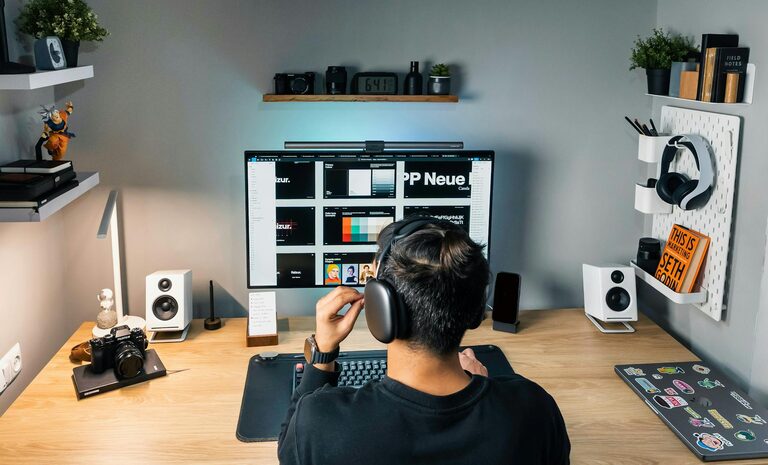
Creating an organised and clutter-free home office can make a significant difference to your productivity and overall well-being. A tidy workspace not only helps you focus better but also encourages a positive work mindset. Whether you work from home full-time or occasionally, these effective tips will help you design a space that’s both functional and comfortable.
Why a Clutter-Free Home Office Matters
A messy workspace can cause distractions, make it hard to find important items, and increase stress levels. In contrast, an organised office promotes efficiency and allows your creativity to flow. When everything has its place, you can focus on your tasks rather than on tidying up or searching for things.
Start with Decluttering
1. Clear Out Unnecessary Items
Begin by removing everything that you don’t use daily. Old papers, broken electronics, or items unrelated to work should be sorted into keep, recycle, or discard piles. Be honest about what you really need in your workspace.
2. Simplify Your Desk Surface
A cluttered desk can quickly become overwhelming. Aim to keep only essentials on your desk such as your computer, notepad, and a couple of writing tools. Store other items away when not in use.
Designate Specific Zones
Creating distinct zones in your home office can make it easier to stay organised.
1. Work Zone
This area includes your desk, chair, and any devices you use regularly. Ensure your chair and desk are ergonomically positioned to support good posture.
2. Storage Zone
Use shelves, filing cabinets, or storage boxes to keep documents and supplies neatly arranged. Label storage containers clearly so you can find items easily.
3. Inspiration or Break Zone
If space allows, a small area for breaks or inspiration—like a comfy chair or a board for notes and ideas—can help separate work time from rest.
Use Smart Storage Solutions
1. Vertical Storage
Make use of wall space with shelves or pegboards to keep items off your desk and within reach.
2. Drawer Organisers
Use dividers or trays inside drawers to prevent everything from becoming a jumbled mess.
3. Cable Management
Keep wires tidy and prevent tangles with cable clips, sleeves, or boxes designed for cable management.
Maintain Digital Organisation
A clutter-free physical space also includes your digital workspace.
– Regularly organise your computer files into folders.
– Use clear and consistent file naming systems.
– Delete or archive files you no longer need.
– Keep your desktop background clear of icons.
Establish a Daily Routine to Keep Clutter at Bay
Spending just 5 to 10 minutes at the end of each day organising your desk, sorting paperwork, and putting supplies away can prevent clutter from building up.
Create a Personalised and Calm Environment
Adding a few personal touches such as plants, artwork, or a small lamp can make your home office more inviting without causing distraction. Choose items that bring you calm and focus.
Lighting and Ventilation
Good lighting reduces eye strain and increases alertness. Position your desk near a window if possible for natural light. Use adjustable desk lamps to brighten your workspace when needed. Proper ventilation helps keep you comfortable during long working hours.
Regularly Reassess Your Setup
As your work habits and needs change, it’s a good idea to revisit your home office layout and organisation system. Periodically reviewing what works and what doesn’t ensures that your space continues to support your productivity.
—
By following these tips, you can transform your home office into a clutter-free, organised haven that helps you work efficiently and comfortably. Remember, the key is consistency and making sure that every item in your space serves a purpose or adds value to your workday. Happy organising!