

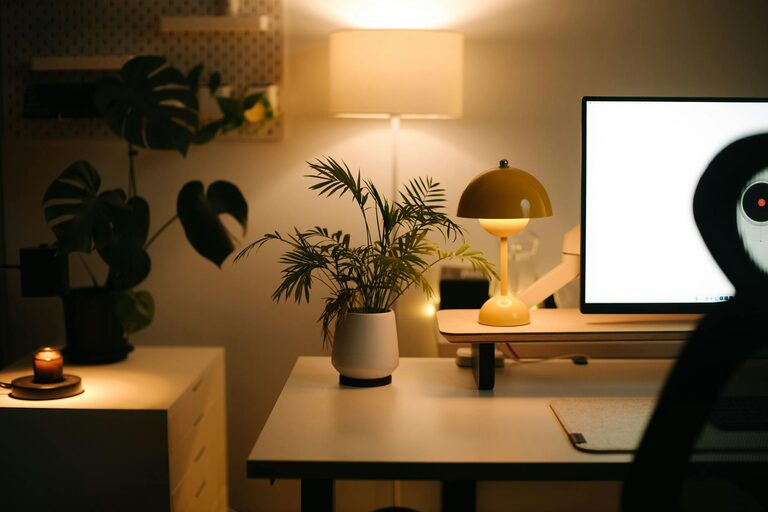
Creating a relaxing home workspace is essential for boosting productivity and maintaining comfort throughout your workday. As many of us continue to work from home, having a space that supports concentration while promoting calm can make a significant difference to both output and wellbeing. In this post, we’ll explore practical tips to help you design a home office that feels inviting, organised, and efficient.
Why a Relaxing Workspace Matters
A well-designed workspace can help reduce distractions, lower stress levels, and improve motivation. When your environment encourages calmness, you’re more likely to focus properly and stay engaged with your tasks. Likewise, comfort in your workstation helps prevent physical discomfort or fatigue, which can otherwise hamper your productivity.
Choose the Right Location
Consider Natural Light
Place your workspace near a window if possible. Natural light improves mood and alertness and can reduce eye strain from artificial lighting. Position your desk so that glare doesn’t reflect off your screen or directly into your eyes.
Minimise Noise and Distractions
If you live in a busy household or area, pick a quieter corner or room for your workspace. Using noise-cancelling headphones or soft background music can also aid concentration.
Prioritise Comfort and Ergonomics
Invest in a Supportive Chair
A comfortable, adjustable chair can prevent back pain and encourage good posture. Look for options with lumbar support and flexibility so you can find the right position for your needs.
Optimise Desk Height and Monitor Placement
Ensure your desk is at a height where your forearms are parallel to the floor when typing. Position your computer monitor at eye level to avoid neck strain.
Add Ergonomic Accessories
Consider items like an external keyboard, mouse, or wrist supports to further improve comfort.
Keep Your Space Organised
Declutter Regularly
A tidy workspace reduces stress and helps you stay focused. Remove unnecessary items and organise papers and supplies in drawers or containers.
Use Storage Solutions
Shelves, filing cabinets, and desk organisers help keep essential items within reach but neatly arranged.
Personalise Your Workspace
Choose Calming Colours
Soft, neutral tones such as pale blues, greens, or greys can create a soothing atmosphere. Avoid overly bright colours that may feel too stimulating.
Add Greenery
Plants not only brighten your space but can improve air quality and reduce stress. Low-maintenance options like succulents or spider plants work well indoors.
Incorporate Personal Touches
Photos, artwork or inspirational quotes can motivate you and make your workspace feel more welcoming.
Manage Lighting Wisely
Use Layered Lighting
Combine natural light with ambient and task lighting to reduce eye strain. A desk lamp with adjustable brightness allows you to focus light where needed.
Avoid Harsh Lighting
Opt for bulbs with a warm or neutral colour temperature rather than cold, bright lights.
Create Healthy Boundaries
Set Clear Work Hours
Having a fixed routine helps separate work time from relaxation. It can also keep you organised and prevent burnout.
Designate Your Workspace Clearly
Avoid working in bed or on the sofa. Having a dedicated workspace signals to your brain when it’s time to focus.
Incorporate Relaxation Techniques
Take Regular Breaks
Use tools like the Pomodoro Technique—working for 25 minutes, then taking a short break—to maintain energy levels.
Include Comfort Items
A soft cushion, blanket, or stress-relief toys can help you stay calm during challenging times.
Prioritise Air Quality
Good ventilation helps you feel refreshed and alert. Open windows when possible, or use an air purifier to maintain a comfortable environment.
Conclusion
Creating a relaxing home workspace is about combining comfort, organisation, and personal touches to build an environment you want to spend time in. By considering lighting, ergonomics, noise levels, and personal preferences, you can design a space that supports both productivity and wellbeing. Take the time to adjust your setup and incorporate these tips—you’ll soon notice the positive impact on your workday.